
Want to read this in German? Click here.
Unpaid advertising through brand mention. The software used here is free to use. I personally selected and paid for all the mentioned textbooks.
Create your own measurement file
Create and save a measurement file
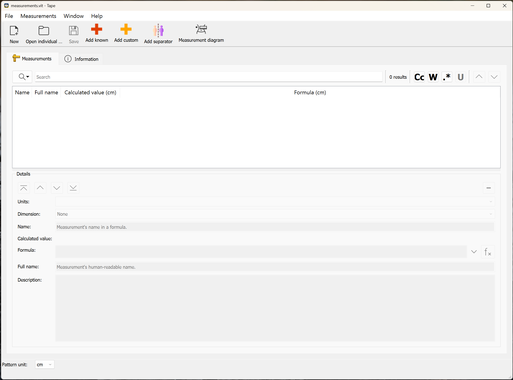
After installing Valentina, you will have three programs on your computer: Valentina itself, Tape, and Puzzle. Tape is the program to create and manage measurement files.
- Start Tape.
- Click on New to create a new measurement file. Choose individual (for your individual size, not a multisize pattern). You can choose between inch and cm.
- Click on Ok and save the file.
Determine and enter your measurements
Now you can start entering your measurements. Careful, only measurements with values greater than 0 will be shown my default in Valentina. It is best to just get it over with and create all common measurements, even if you don't need them right away. It's boring, I know. Ideally, you have a helping hand, since otherwise, your measurements won't be correct.
Not all construction methods use the same measurements. I follow the method by Hofenbitzer and use his measurements, but there are other methods available.
It depends on your body type how many measurements you need. Determine where your body differs from the standard measurements and also think about what type of patterns you want to create. For example, if you want to create slim pants and have wider calfs, you should add calf circumference and - height as well, and use it when constructing pants.
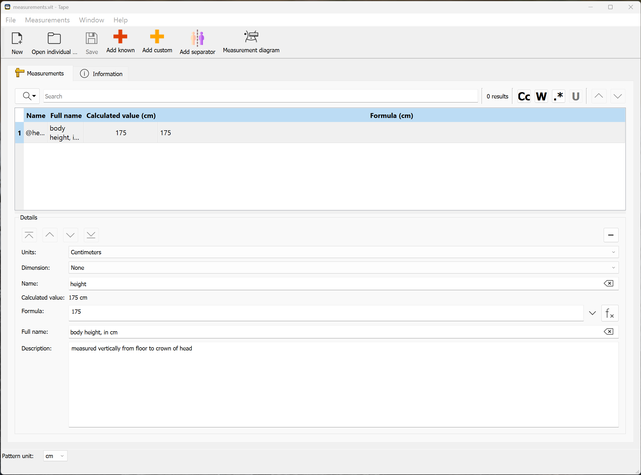
- Click on Add custom and enter a name, e.g. height. This name is used later on for construction and possibly calculations. Valentina adds an @ automatically, by this, the software knows that it is a measurement. Here, it would be @height.
- Enter the measured value under Formula. The name of this field is a bit confusing, you could technically already add a formula (calculation) here, hence the name. However, you can also just add a value here.
- Click on Save.
Calculate measurements
You can also calculate measurements based on already known measurements. For example, if you know waist height (distance between floor and waist) and hip height (distance between floor and hip), you can calculate the distance between waist and hip:
- Click on the last row.
- Click on Add custom. Another row ist added after the last one.
- Instead of a single value, you now insert a formula. To do so, click on the f(x) button next to the field Formula.
- Use the search bar to find the desired measurement and insert it via double click, in this example @waist_height.
- Insert a minus after @waist_height. Search for @hip_height and double-click it to insert.
- The final formula is @waist_height-@hip_height.
- The calculated value is displayed above the formula.

Careful: Valentina files are constructed chronologically. This means that you can only calculate with already known values, that is, values in a row above the formula. You cannot create a calculated measurement, then ad another row below, and then insert this measurement into the formula above. In this case, you would have to move the newly added line upwards (using the arrow buttons) so that is above the line with the formula.
Vice versa, it is not recommended to move a row downwards, unless you are really sure it is not used in a formula somewhere below.
Insert a separator
You can add a separator to organize the table for convenience. In this example, I added a separator each to distinguish between height values (e.g. body height) and circumference (e.g. hip circumference).

What are "known Measurements"?
If you work really professionally and if you have to create many measurement files for different customers, you first create a template file with all measurements you might need. To create an individual measurement file for a specific customer, you load these measurements from the template and add the specific value.
Why doing it this way? Well, one reason is that ist is convenient, you don't have to create the measurements again and again and again.
Therefore, it saves time.
In addition, it is really important to be consistent regarding the spelling/naming of the measurements. You can load a measurement file into a pattern only if the measurements are named exactly as in the pattern. If you use "height" in one measurement file and in the pattern, you cannot load a measurement file where you used "body_height" instead. Unfortunately, computers are not clairvoyant ;-)
However, if you use valentina only for your own personal patterns, you won't need that part.